Blogs
And How to Fix It

Maurice Sepe
Introduction
PageSpeed Insights is very good at telling you what is wrong. It is less good at telling you why. We recently worked through a case where a Liferay SaaS site kept getting flagged for uncompressed CSS from its frontend client extensions, even though compression was switched on the whole time.
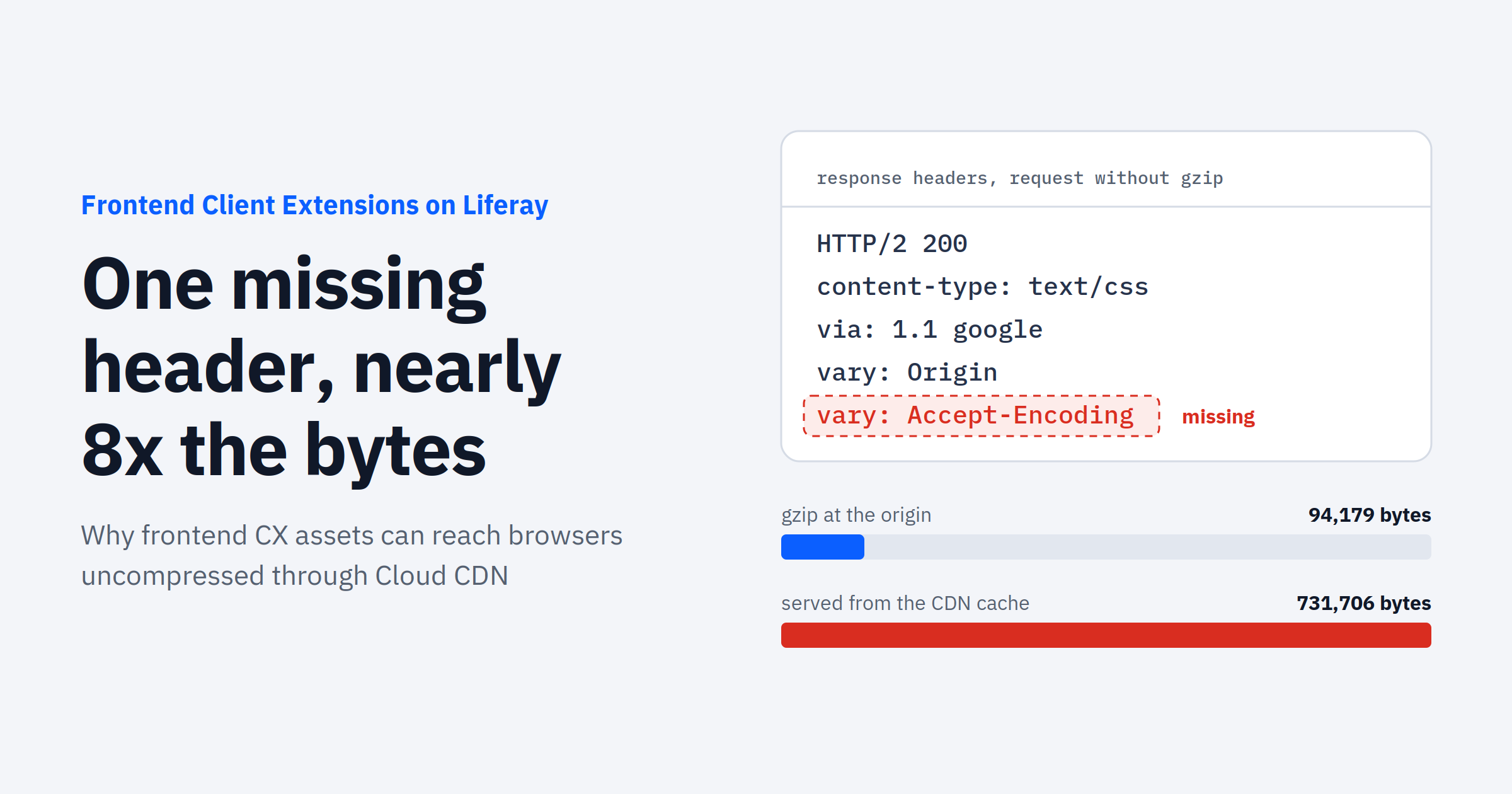
The short version: older liferay/caddy base images only send Vary: Accept-Encoding when they actually compress a response. Put a CDN in front of that, and a single uncompressed response can get cached and served to every visitor for an hour at a time.
The fix is a rebuild, a redeploy and a CDN cache clear. The rest of this post covers how we found it, how to check your own client extensions, and which workarounds to skip.
The Symptom
The site used two frontend client extensions: a themeCSS CX and a customElement CX. PageSpeed reported that their static assets were served without compression, and the byte counts agreed.
The theme’s clay.css arrived at 731,706 bytes. When the origin gzips it, the same file is 94,179 bytes. That’s almost 8x more data than necessary on a render-blocking stylesheet, and main.css showed the same pattern (177,053 bytes versus 26,454).
The first question was whether compression could be enabled in LCP.json or client-extension.yaml. It turned out compression had never been off.
How frontend client extensions are served on Liferay
Each frontend CX is deployed as its own small service. The container runs Caddy from the liferay/caddy image, and the Dockerfile that Liferay Workspace generates starts with FROM liferay/caddy:latest.
In front of that container sits Google Cloud CDN. The default LCP.json for a frontend CX sets loadBalancer.cdn: true, so the CDN is on in every environment except dev. You can see it in the response headers as via: 1.1 google.
Caddy does the compressing (gzip only, no Brotli or zstd), and the CDN caches what Caddy returns. In this case assets were cached with max-age=3600. Both layers were doing their jobs; the problem was in what they told each other.
What’s actually going on
A shared cache decides whether it can reuse a stored response by looking at the URL plus any request headers named in Vary. If a server can return gzip or plain bytes for the same URL, it has to send Vary: Accept-Encoding on both variants. Otherwise the cache can’t tell that the plain version was only meant for clients that didn’t ask for gzip.
On the affected client extensions, the origin answered like this:
| Request | Content-Encoding |
Vary |
|---|---|---|
GET with Accept-Encoding: gzip |
gzip |
Origin, Accept-Encoding |
GET without Accept-Encoding |
none (identity) | Origin only |
The identity response says nothing about encoding, so Cloud CDN treats it as valid for every client. One request without Accept-Encoding that reaches the origin replaces the cached entry, and every browser gets the full-size file until it expires. We never pinned down what was sending those requests in production; a crawler, monitor or script is enough.

After step 2, every gzip-capable browser gets the step 3 result until the entry expires or someone clears the CDN cache.
The root cause is in Caddy itself. The older liferay/caddy images shipped Caddy 2.5.0, whose file server only added Vary: Accept-Encoding when it actually compressed. Caddy changed this in 2.8.0 so the header is always sent, letting caches build a reliable key (caddyserver/caddy#5849).
liferay/caddy images from 10.0.84 onward include the fix. DXP’s own web server (nginx) is not affected.
Check your own Client Extensions
Two rules make this reproducible. Use GET, not HEAD: the origin never compresses HEAD responses, so curl -I won’t show any difference. And add a random query string (?cb=<random>) whenever you want a guaranteed cache miss, so the request reaches the origin.
Replace the URL below with a CSS or JS asset from one of your own frontend CXs.
Test 1: origin versus CDN for the same request. Both requests ask for gzip. The first uses a new URL and reaches the origin; the second uses the real URL and is answered by the CDN.
U=https://<your-cx-host>.lfr.cloud/css/main.css

echo -n "Origin (new URL): "; curl -s -o /dev/null -w '%{size_download} bytes\n' -H "Accept-Encoding: gzip" "$U?cb=$RANDOM$RANDOM"

echo -n "CDN (real URL):   "; curl -s -o /dev/null -w '%{size_download} bytes\n' -H "Accept-Encoding: gzip" "$U"
On an affected CX, the CDN number is several times the origin number:
Origin (new URL): 94179 bytes
CDN (real URL):   731706 bytes
Test 2: one plain request poisons the cache entry. On a single new URL, send a gzip request, then a request without Accept-Encoding, then a gzip request again.
U=https://<your-cx-host>.lfr.cloud/css/main.css
K=test$RANDOM$RANDOM

echo -n "1) gzip:            "; curl -s -o /dev/null -w '%{size_download} bytes\n' -H "Accept-Encoding: gzip" "$U?cb=$K"

echo -n "2) no compression:  "; curl -s -o /dev/null -w '%{size_download} bytes\n' "$U?cb=$K"

echo -n "3) gzip again:      "; curl -s -o /dev/null -w '%{size_download} bytes\n' -H "Accept-Encoding: gzip" "$U?cb=$K"
If request 3 returns the full uncompressed size, you’re affected:
1) gzip:            94179 bytes
2) no compression:  731706 bytes
3) gzip again:      731706 bytes
Quick header check. You can also look at Vary directly on an uncompressed response from the origin. If it doesn’t include Accept-Encoding, the CX is running on an older image.
curl -s -D - -o /dev/null "$U?cb=$RANDOM$RANDOM" | grep -i '^vary'The Fix
The fix is already in the base image, so there’s nothing to configure and no patch to request. You only need to get your CXs onto a current liferay/caddy image.
- Rebuild and redeploy each frontend CX. The generated Dockerfile uses
FROM liferay/caddy:latest, so a fresh build picks up the fixed image. Do UAT first, then production.- If your project ships its own Dockerfile, check that it doesn’t pin a
liferay/caddytag older than 10.0.84.
- If your project ships its own Dockerfile, check that it doesn’t pin a
- Clear the CDN cache. In the Liferay Cloud console, go to Network and use Clear CDN Cache. Allow up to 30 minutes for it to take effect.
- Verify. Run the quick header check again: an uncompressed response should now return
Vary: Origin, Accept-Encoding. Request 3 in Test 2 should come back at the compressed size.
If you haven’t rebuilt a frontend CX in a while, it’s worth doing this even without a PageSpeed complaint. The bug only shows up when a plain request happens to land on a cache miss, so it can come and go.
Workarounds we don’t recommend
Before the root cause was confirmed, a couple of other options came up. Both technically work, and both are worse than a rebuild.
- Setting
loadBalancer.cdn: falseinLCP.json. With no shared cache, there’s nothing to poison. But the CX loses edge caching, and every asset request goes to a single small container (0.05 CPU and 50 MB by default). - Shipping a custom Dockerfile or Caddy config to force the header. Liferay Workspace does use a project-level Dockerfile when one is present, so this is possible. It’s also one more thing to maintain, and the stock image already does the right thing.
Avoid changing CDN or load balancer settings outside your project configuration, too. Nothing tracks those changes, and they can disappear when the service is recreated.
Wrapping up
A few things from this one are worth carrying into other investigations:
- A client extension is only as current as its last build. Rebuilding picks up base image fixes even when your own code hasn’t changed.
- Measure compression with GET, never HEAD. Add a cache-busting query string when you want to see what the origin really returns.
- Check
Varyon every variant, not just the compressed one. When a CDN sits in front of anything that negotiates content, the uncompressed response is the one that bites.
If your PageSpeed report flags uncompressed assets from a frontend CX, try the tests above before touching any configuration. There’s a good chance a rebuild is all you need.
Related Assets...
More Blog Entries...

