Blogs
Liferay Legacy MCP for DXP 7.4 U1 to 2025.q4

Tony Lim
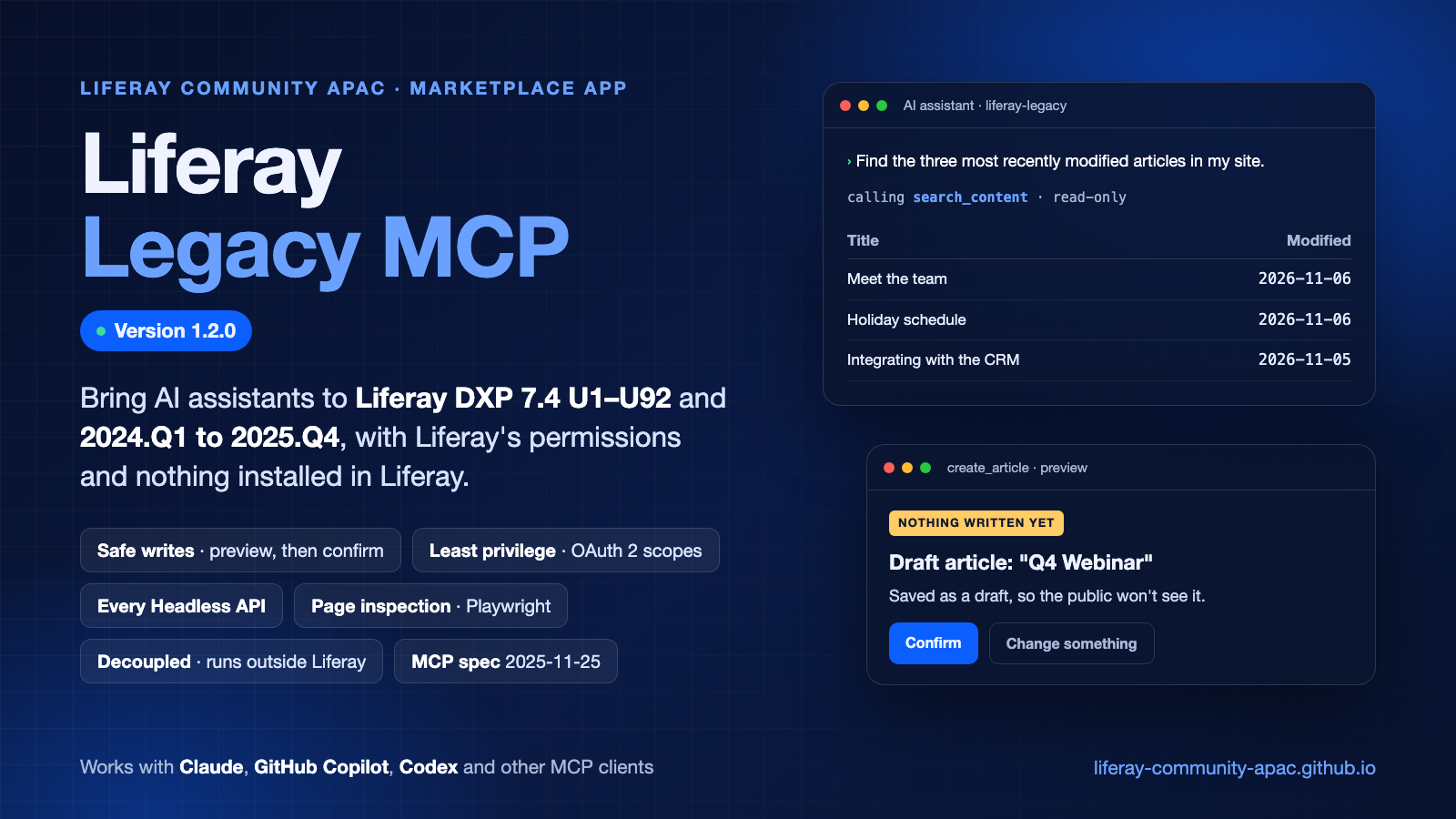
AI assistants such as Claude, GitHub Copilot and Codex can now work with Liferay DXP releases that have no MCP server of their own. Liferay Legacy MCP is a community app from Liferay Community APAC: an MCP server that lets an AI assistant find, read and change your Liferay's content in plain language, with Liferay's own permissions, and with a preview a person confirms before anything changes.
Version 1.2.0 is out, and works with Liferay DXP 7.4 U1–U92 and 2024.Q1 to 2025.Q4.
Why Another MCP Server?
The Model Context Protocol (MCP) is how AI assistants connect to the tools and data they work with. Newer Liferay releases come with an MCP server of their own, but Liferay DXP 7.4 and 2024.Q1 to 2025.Q4 don't have one. Many sites run on these releases, and their teams want to ask an AI assistant about their content today, without an upgrade first.
Liferay Legacy MCP fills that gap. It runs next to your Liferay, talks to it through its public APIs, and gives your AI assistant tools that know Liferay.
What It Does
- Content in plain language. Search, read, create and update web content, documents, blogs, categories and tags, navigation menus and knowledge base articles. It also handles translations and review workflows.
- Safe writes. Writes are off by default. When they're on, every change is shown as a preview first, and runs only after a person confirms it. Every attempt is written to an audit log.
- Least privilege. The server acts as one service user, through an OAuth 2 application whose scopes limit what it can reach. Liferay enforces both.
- Every API, when you need it. Generic tools reach all of Liferay's Headless REST APIs and JSON web services, so the assistant isn't limited to the dedicated tools.
- Page inspection with Playwright. The server opens your pages in a headless Chromium. It reports their headings, links, missing image descriptions and errors, and takes screenshots, as a guest or as a view-only user.
- Completely decoupled from Liferay. The server is a separate container that only uses Liferay's public APIs. No code goes into Liferay, only an OAuth 2 client extension, which is configuration. A Liferay update doesn't need a new server version, and removing it leaves Liferay as it was.
- Built to the MCP specification. It follows the latest MCP specification (2025-11-25), and the IETF's OAuth standards for sign-in.
What's New in 1.2.0
- Users and objects without an administrator connection.
list_usersand the objects API now work through the regular connection, listing what the service user may see. - Folders. Searching, listing documents and exporting can cover every folder, or only the site's root folder.
- More of the Headless APIs.
read_apinow reads operations that answer with HTML, and paths with encoded characters, such as spaces.
See What's New for the full list, and Upgrading and Removing if you're on 1.1.0.
See It in Action
Ask about your content, and the assistant answers from Liferay:
"Find the three most recently modified articles in my site. Show title and modified date as a short table."
Ask it to change something, and you see a preview before anything is written:
"Create a draft article titled 'Q4 Webinar', announcing our product webinar on 12 December. Show me the preview first."
The assistant shows the draft's title, summary and body, says that nothing has been created yet, and waits for your answer. For more ideas, see What to Ask.
Get Started
Setting it up takes three parts: a service user in Liferay, an OAuth 2 client extension, and the server added to your AI assistant. The guide walks you through each, with pages for Claude, GitHub Copilot, Codex and other AI assistants.
Before You Try It
Liferay Legacy MCP is a community app for experimental use, shared by Liferay Community APAC. It isn't a Liferay product: Liferay doesn't support it, and it comes as is. Try it on a test or development copy of your Liferay, not in production. Start with writes off, and check every preview before you confirm it.
It works only with Liferay DXP, and needs a Liferay DXP Enterprise Subscription. See Compatibility for the releases it was tested on.
Learn More
- Liferay Legacy MCP guide
- Getting Started
- Liferay Legacy MCP in the Liferay Community APAC Marketplace Apps
Questions or feedback? Let us know in the comments.
Related Assets...
More Blog Entries...