Blogs
A Gradle plugin that works out the correct deployment order for your Liferay modules, and confirms every wave through the Gogo shell — so you never have to guess again.

Ankit Hadiyal
A Problem Every Liferay Developer Has Faced
If you have worked on a Liferay DXP project with more than a few custom modules, this scene will feel familiar.
You deploy all your modules together. Most of them start up without any trouble. But a few fail, and when you open the logs, you find a bundle that stopped right after it started.
The reason is almost always the same. One module tries to start before the module it depends on is even ready. Say your service module depends on your API module, and both get deployed at the same time. The service module may try to start first, find that the API module is not active yet, and simply fail.
The usual fix is to stop, work out the correct order by hand, and deploy the modules one at a time. It gets the job done, but it takes time, and it is a step you end up repeating with almost every build.
The Solution: A Plugin That Handles the Order For You
To take this manual work off your plate, we built a Gradle plugin called io.github.ankitt-29.deploy-ordered.
In simple terms, the plugin looks at your entire Liferay workspace, works out which module depends on which, and deploys everything in the correct order on its own. It does not stop at deploying and hoping for the best, either. It connects to Liferay's Gogo shell and confirms that every module has actually started successfully before moving on to the next set of modules.
The result: no manual restarts, no guessing which module should go first, and no repeated deploy attempts. Just one command, and the plugin takes care of the rest.
How It Works, In Plain Words
Here is the simple version of what happens behind the scenes:
- It scans your workspace and finds every OSGi module you have.
- It builds a dependency map, so it knows exactly which module needs which other module to be ready first.
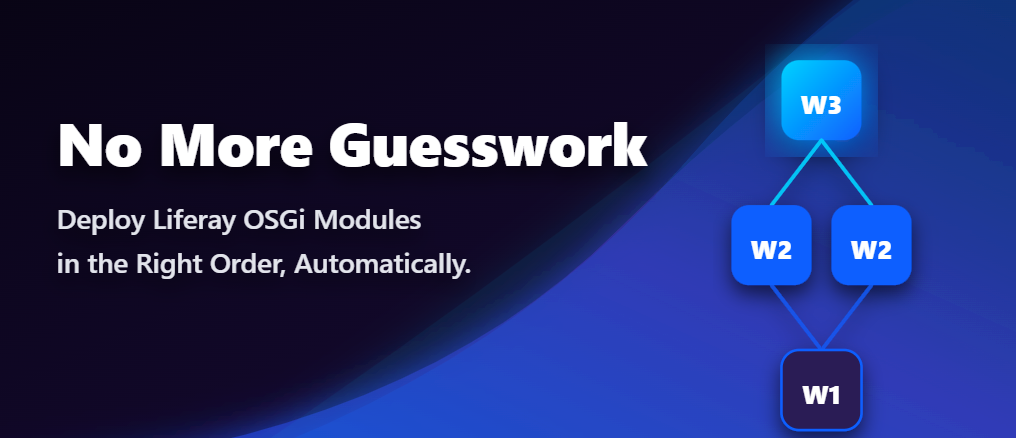
- It groups modules into waves. Modules with no dependencies go into Wave 1. Modules that depend only on Wave 1 modules go into Wave 2. This continues until every module has its place.
- It deploys one wave at a time. The plugin drops a wave's modules into your Liferay deploy folder, waits a short while, and then checks the Gogo shell to confirm each one has reached the
Activestate (orResolved, for fragment bundles). Only once a wave is confirmed healthy does it move on to the next one.
By the time any module starts, everything it depends on is already active and ready.
Before You Begin: Two Things to Set Up
Getting started needs just two small steps.
1. Enable the Gogo Shell
The plugin uses Liferay's Gogo shell to check whether your bundles are active. This shell is switched off by default, so you will need to turn it on once.
Open (or create) the portal-ext.properties file in your Liferay bundle, and add this line:
properties
Restart your Liferay server after saving this file, and the Gogo shell will be ready to use.
2. Set Your Liferay Home Path
The plugin needs to know where your Liferay home is, so it can find your deploy folder. Add this path in your gradle.properties or gradle-local.properties file:
properties
liferay.workspace.home.dir=C:/liferay/liferay-dxpUse the actual path to your own Liferay home folder here.
Once these two things are in place, you are ready to install the plugin.
Installing the Plugin
Add this small block to the root build.gradle file of your Liferay workspace:
groovy
id 'io.github.ankitt-29.deploy-ordered' version '1.0.2'
}
That's it. There is nothing else to configure.
Running It
With the plugin installed, deploying your modules correctly is a single command away:
bash
Run this, and the plugin will scan, group, deploy, and verify every module for you, one wave at a time, until your whole workspace is up and running.
Before You Go
This is the first release of the plugin, version 1.0.2, and it is built with one goal in mind: to save Liferay developers the time and frustration that comes from manual module ordering.
It is open for the whole Liferay community to use, and being an early release, there is always room to make it better. If you try it out and have an idea, run into an issue, or think of a feature that would make it more useful, please do share it:
- GitHub: https://github.com/ankitt-29/liferay-ordered-deploy
- Gradle Plugin Portal: https://plugins.gradle.org/plugin/io.github.ankitt-29.deploy-ordered
Every suggestion helps make this a better tool for the whole community. Give it a try, and let us know what you think!
Related Assets...
More Blog Entries...
