
Blogs

Navin Agarwal
We can integrate Alfresco Repository with Liferay Documents and Media Portlet by using CMIS feature. Liferay 6.1 provides with the very simple configuration management for cmis settings.
Let’s follow few steps for configuration of CMIS in Document and Media portlet.
NOTE: If you are not using any SSO for both servers, Make sure you create a same user admin/admin in Liferay. Doing this you will have common user in both environment.
1. Login with the admin user, go to Control Panel and check your site content setting, which site it is referring, make sure it refers to your desirer site. And Click Documents and Media Portlet.
2. Now In Documents and Media Portlet go to add button and click repository, New Repository page will open. Fill the bellow settings.
Name: Alfresco Repository
Description: Alfresco Repository
Repository Type: CMIS Repository (AtomPub)
Repository URL: http://localhost:8080/alfresco/service/cmis
And Save it

After all done, you will be seeing the Alfresco Repository (Company Home) inside Documents and Media Portlet.
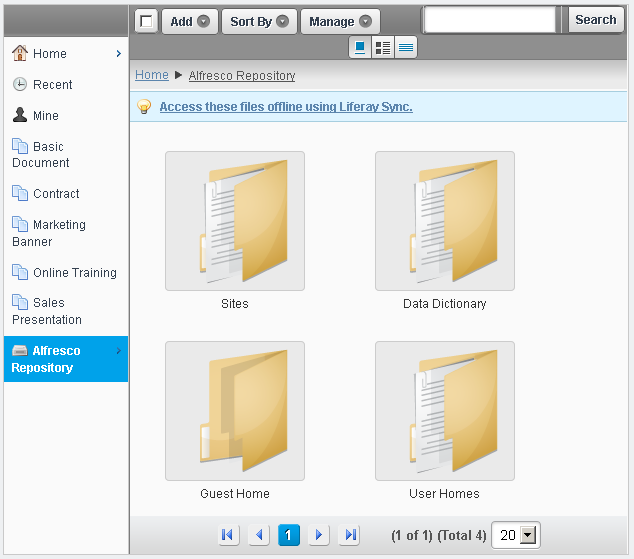
Now you can place the Documents and Media Portlet any page where you want the users should access.
Other related Blog : Integration with alfresco 4.x and Liferay 6.1
Related Assets...
More Blog Entries...


